|
1. Click on the "Home" link in the left side navigation bar.
2. Click on the "Log in to My Homepage" link and enter your user name and password.
3. Click on your name in the right side of the top bar.

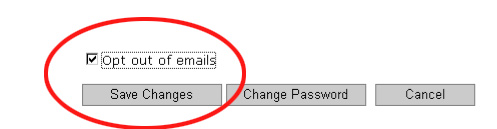
4. Your profile information will appear. At the bottom of the page click in the box next to the "Opt out of emails" text.
5. Click on the "Save Changes" link on the bottom.
|